


Documentation Index
Fetch the complete documentation index at: https://onecli.sh/docs/llms.txt
Use this file to discover all available pages before exploring further.
User provisioning is a cloud-only feature available on all plans at app.onecli.sh.
How it works
- An admin provisions a new user (via the dashboard or SDK)
- OneCLI creates a placeholder user, project, API key, and default agent
- The admin receives a claim link and API key
- The API key is usable immediately, so agents can start making requests
- When the user visits the claim link, they sign up and the account is linked to their identity
- Unclaimed provisions expire after 7 days and are automatically cleaned up
Provisioning from the dashboard
- Go to Team in the sidebar
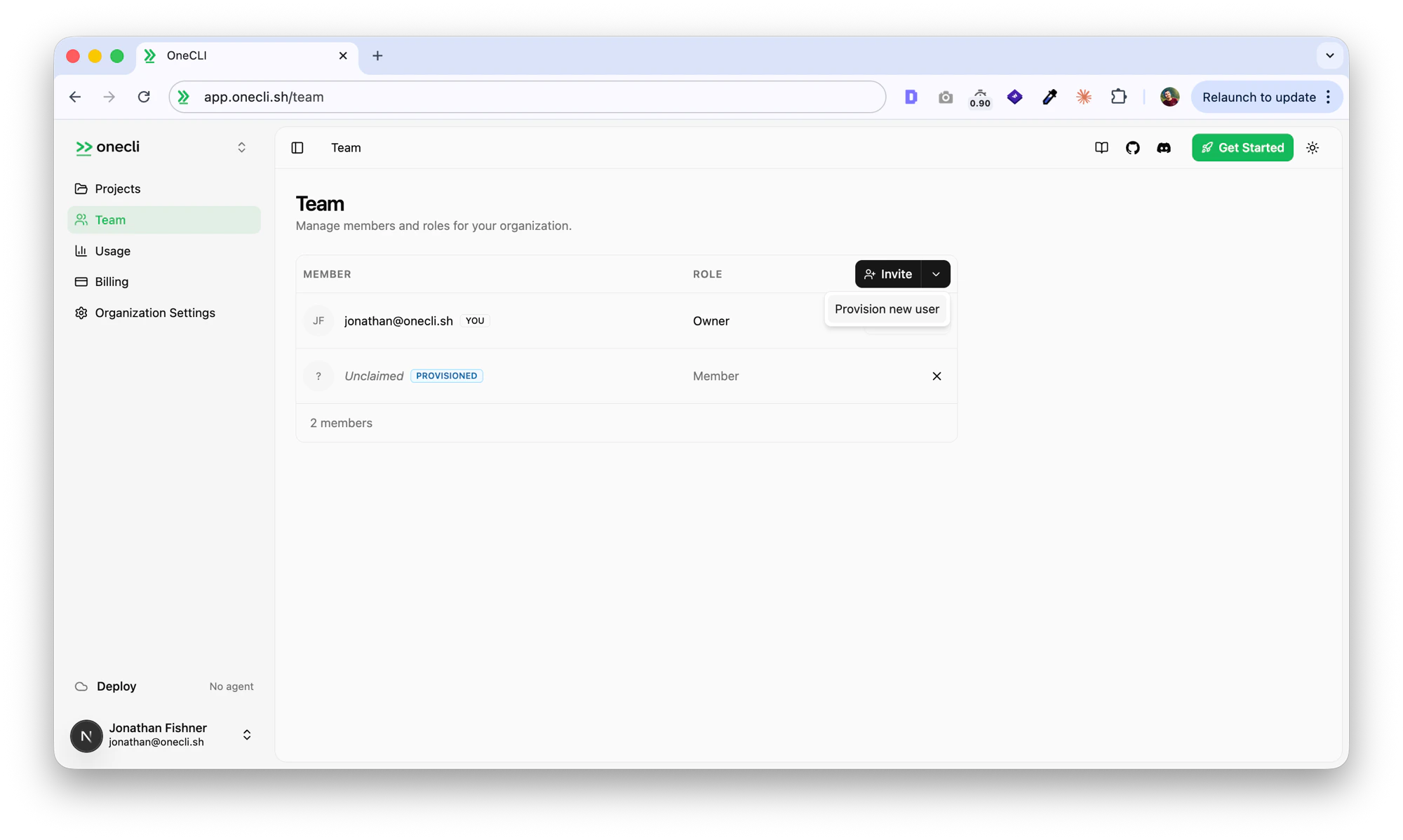
- Click the dropdown arrow next to the Invite button and select Provision new user
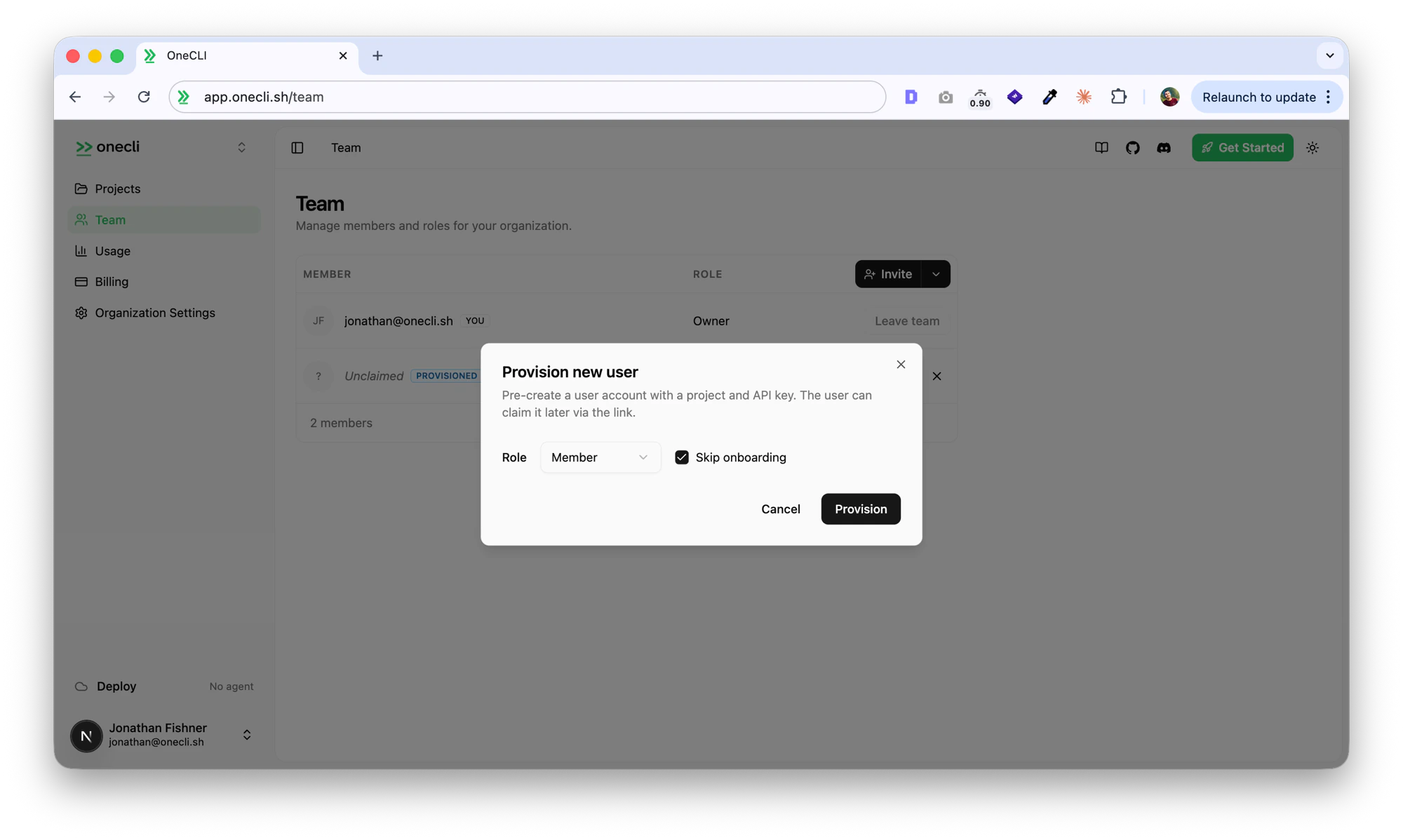
- Choose a role (Member or Admin) and whether to skip onboarding, then click Provision
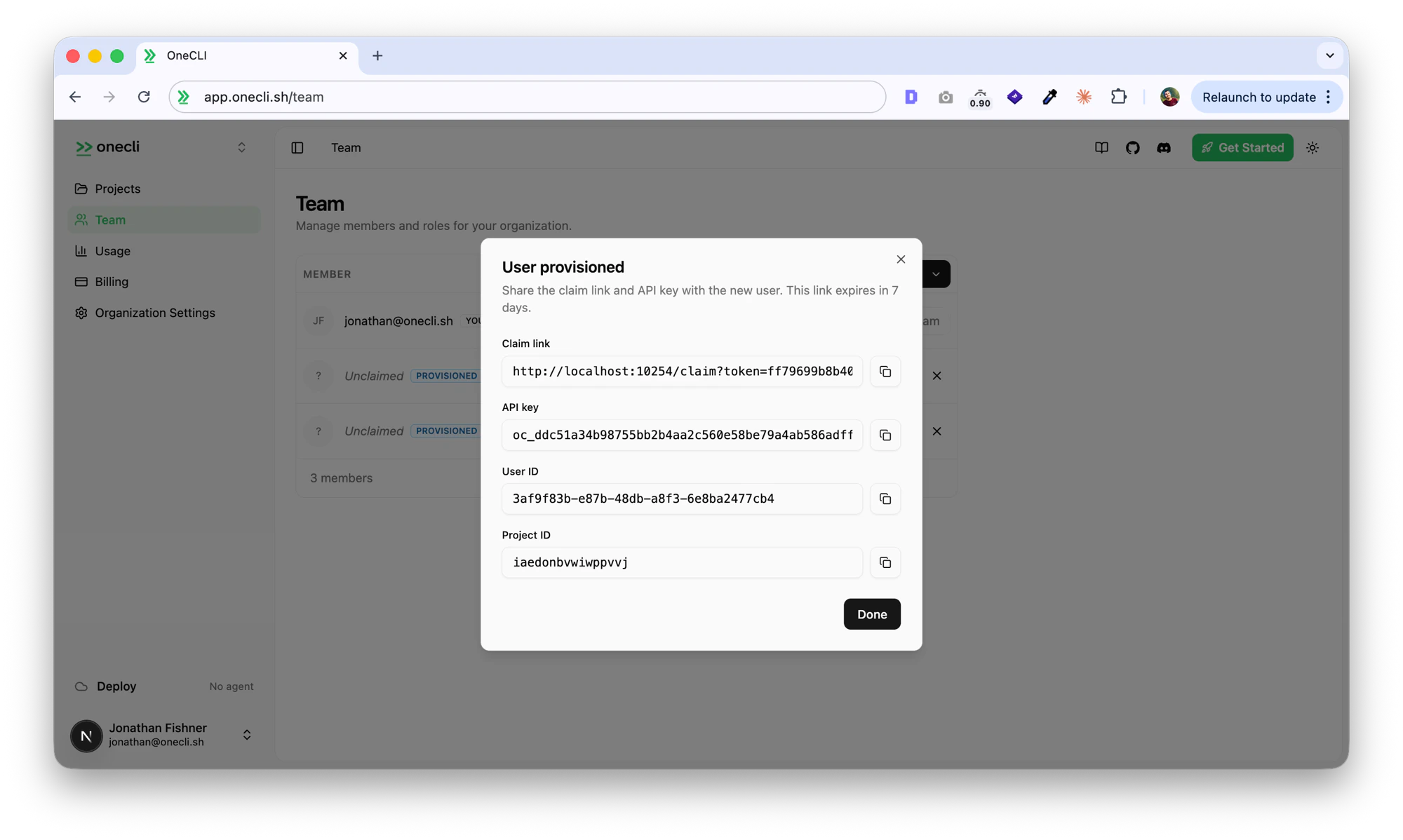
- Copy the claim link, API key, user ID, and project ID
Provisioning from the SDK
Requires an API key from an admin or owner account.Parameters
| Parameter | Type | Default | Description |
|---|---|---|---|
role | "admin" | "member" | "member" | Role the provisioned user will have in the org |
skipOnboarding | boolean | true | Whether the user skips the onboarding wizard |
Response
| Field | Type | Description |
|---|---|---|
id | string | Provision record ID |
userId | string | Placeholder user ID (becomes the real user after claim) |
projectId | string | Pre-created project ID |
apiKey | string | API key for the provisioned project (usable immediately) |
claimUrl | string | URL the user visits to claim the account |
expiresAt | string | Expiration timestamp (ISO 8601, 7 days from creation) |
API endpoint
You can also call the API directly:Claim flow
When a provisioned user visits the claim link:- If not signed in, they’re prompted to sign up or log in
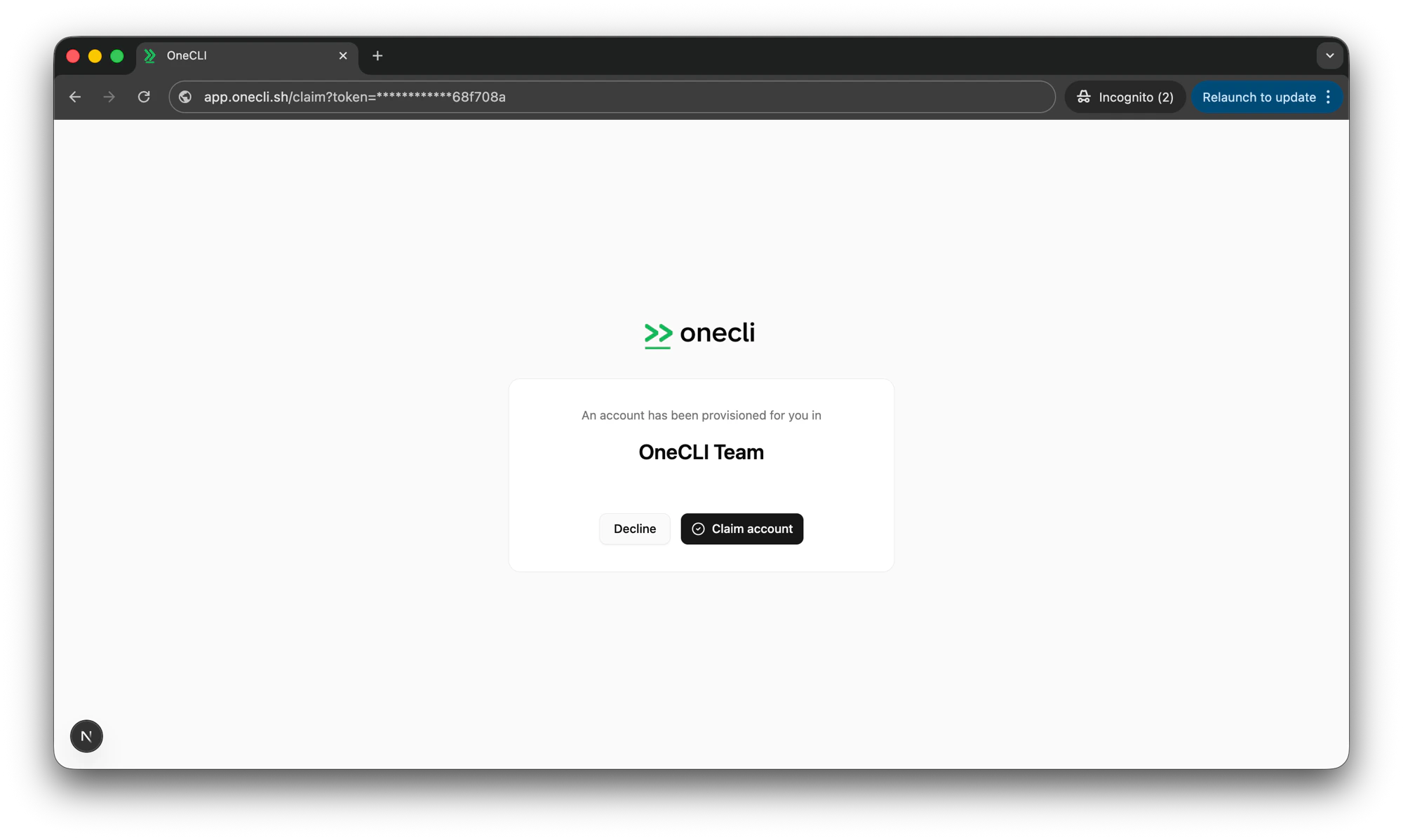
- After authentication, they see a confirmation page with the organization name
- Clicking Claim account links their identity to the provisioned account
- They’re redirected to the dashboard with the provisioned org as their active context
Expiry and cleanup
- Unclaimed provisions expire after 7 days
- Expired provisions are automatically cleaned up (placeholder user, project, API key, and agent are deleted)
- Cancelled provisions are cleaned up immediately